
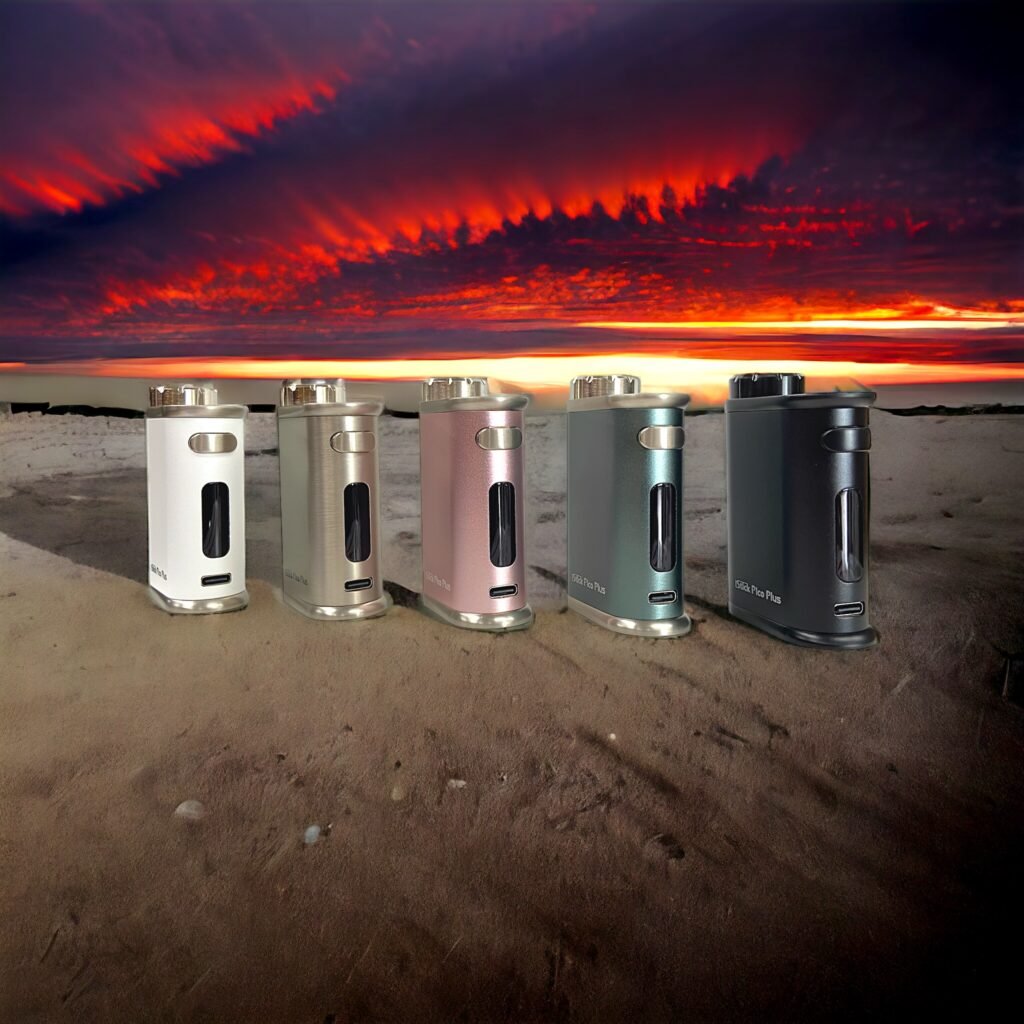
Discover the iStick Pico Plus: Your Next Vaping Essential
After a year-long collaboration between Eleaf and DivineTribe, the iStick Pico Plus has arrived. This device features specially programmed Autofire firmware, allowing you to customize the duration it stays on. With only two modes, it’s easy to use even for beginners.
Available in Rose Gold, Black, Silver, Grey, and White, the Pico Plus includes a Sony VTC6 18650 battery for long-lasting power. The USB Type-C and 2A charging ensure quick recharges.
Using the iStick Pico Plus is simple. Click five times to power on or off, double-click for auto-fire, and three clicks switch between wattage or M1 Temperature mode. Customize your session timing from 0 to 60 seconds by holding the power and plus button. Lock resistance with a quick press of the main and minus buttons. When off, adjust the TCR by holding down both the power and plus buttons.
Compact and portable, the iStick Pico Plus measures 47mm by 25mm by 70.6mm and is made from durable aluminum and zinc alloys. It supports resistances from 0.3ohm to 3.5ohm and can reach up to 75 watts in VW (Power) mode. The OLED display is clear and easy to read, and it supports heaters up to 25mm in diameter.
The package includes the iStick Pico Plus and a USB Type-C cable. Order now to try it out, and don’t forget to check out our 510 magnetic extension cables for more versatility with your setup.
Please check out our website Ineedhemp.com
What Makes the Autofire Feature Special
The Autofire firmware on the iStick Pico Plus is a game-changer for concentrate users. Unlike standard mods where you hold the fire button during your entire session, Autofire lets you set a custom duration — press once, and the device fires for your chosen length of time. This means consistent heating, no finger fatigue, and perfectly timed sessions every time.
For Divine Tribe V5 users, this is particularly valuable. The V5 ceramic heating cup benefits from steady, uninterrupted power delivery. With Autofire, you get even heating across the entire surface, resulting in better flavor and more efficient use of your concentrates.
Setting Up Your Pico Plus with Divine Tribe Atomizers
Getting started is straightforward. After powering on with five clicks, the Pico Plus defaults to wattage mode. For most Divine Tribe atomizers, you will want to switch to temperature control (TC) mode using nickel (Ni) or TCR settings, depending on your specific atomizer.
For the Divine Tribe V5, recommended settings are typically around 360-400F in TC mode. The Autofire duration can be set between 10 and 60 seconds — most users find 30-40 seconds ideal for a full concentrate session.
The device compact size makes it perfect for on-the-go use, and the USB Type-C fast charging means you are never waiting long between sessions. Paired with the included Sony VTC6 battery, you can expect a full day of moderate use on a single charge.
Compatible Divine Tribe Devices
The iStick Pico Plus works seamlessly with the full range of Divine Tribe 510-threaded atomizers:
- V5 Concentrate Atomizer — The flagship concentrate vaporizer with ceramic heating
- Core 2.0/2.1 eRig — All-in-one portable dabbing solution
- Quartz Bottomless Banger — For rig-style sessions with the V5
Whether you are new to concentrate vaping or upgrading from an older mod, the Pico Plus with Autofire firmware is one of the most user-friendly options available. Its collaboration between Eleaf and Divine Tribe means it is purpose-built for the community needs.
Just wanna state that this is very useful, Thanks for taking your time to write this.